
Design & Build: from no code to source code
Lay out workflows visually from a rich library of ready-made activities, add precision with Expressions and Scripts, and go full source with appRules Developer — all on the same workflows.
On this page
 No Code, Low Code, Source Code
 Visual Workflow Designer
 Ready-made workflow activities
 Instant validation
No Code, Low Code, and Source Code
Choose the option that works best for your organization and for the project at hand — and mix them freely inside a single workflow.
No Code
Instantly deploy thousands of ready-made workflow activities — CRUD operations, API connectors and hundreds more. Point, click and go.
Low Code
Configurable Actions and Conditions extended with inline Expressions, a full Script Editor with method discovery, and Functions that call directly into your own .NET assemblies.
Source Code
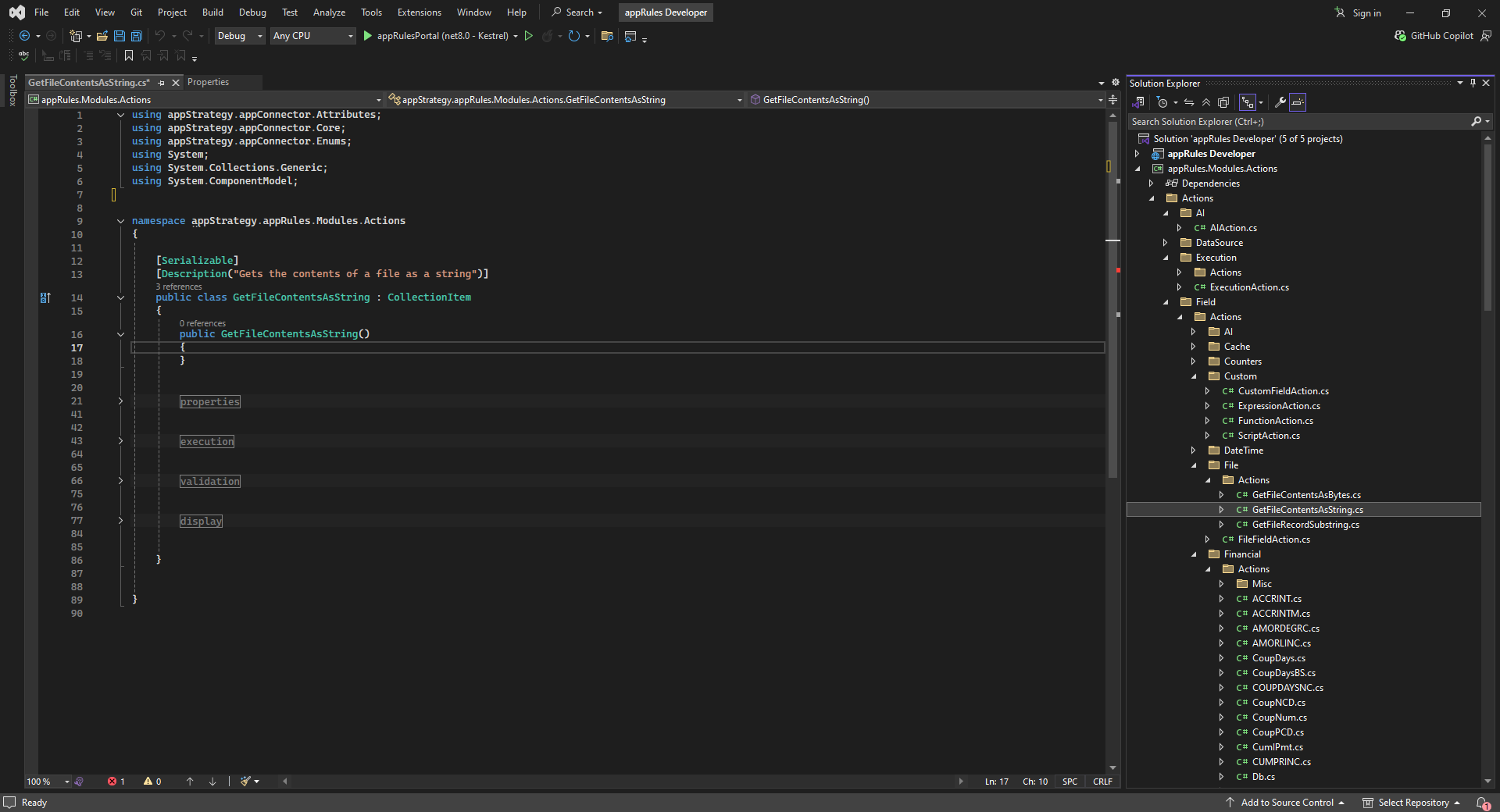
appRules Developer gives you complete source code access inside Visual Studio: create connectors, custom activities, Actions and Conditions, and extend the platform itself.
Point-and-click configuration, no query language required
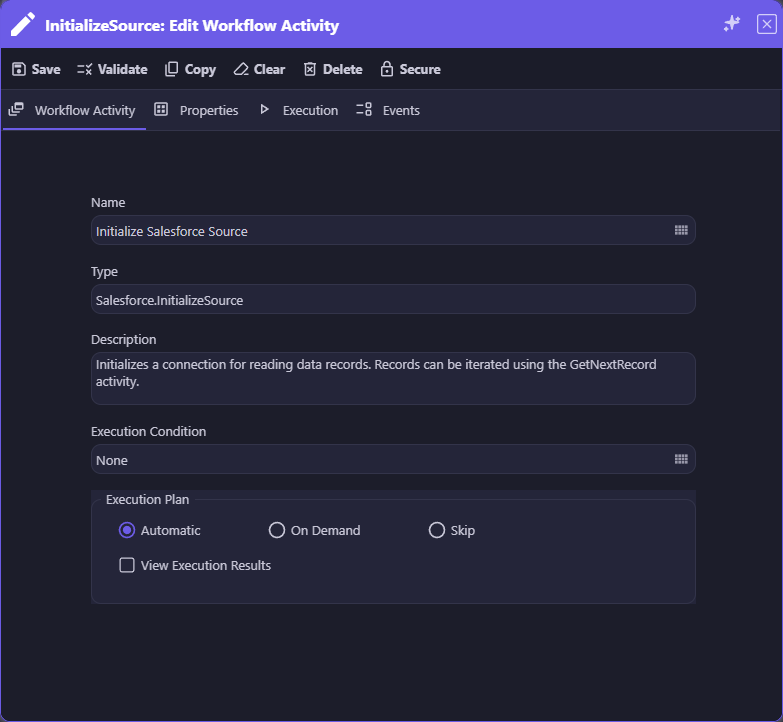
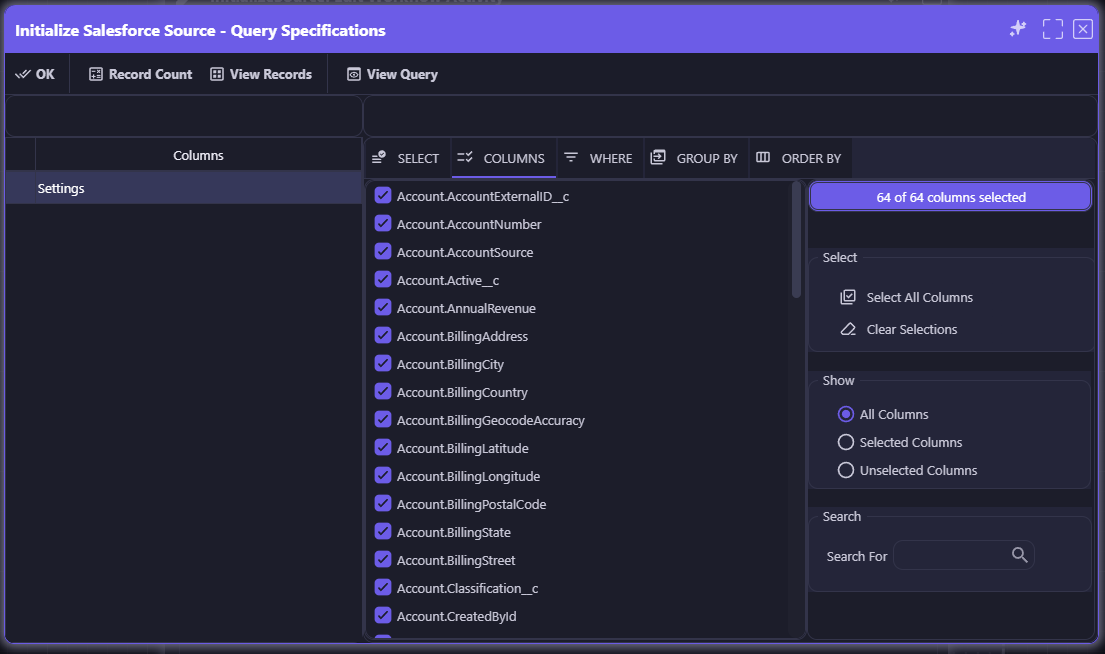
InitializeSource is just one of hundreds of no-code workflow activities. Pick a connector, initialize the source, and configure which columns to select, how to filter, sort and group — all through guided screens.
Thousands of ready-made activities
Connectors, CRUD operations and more — each configured the same visual way, with no setup code.
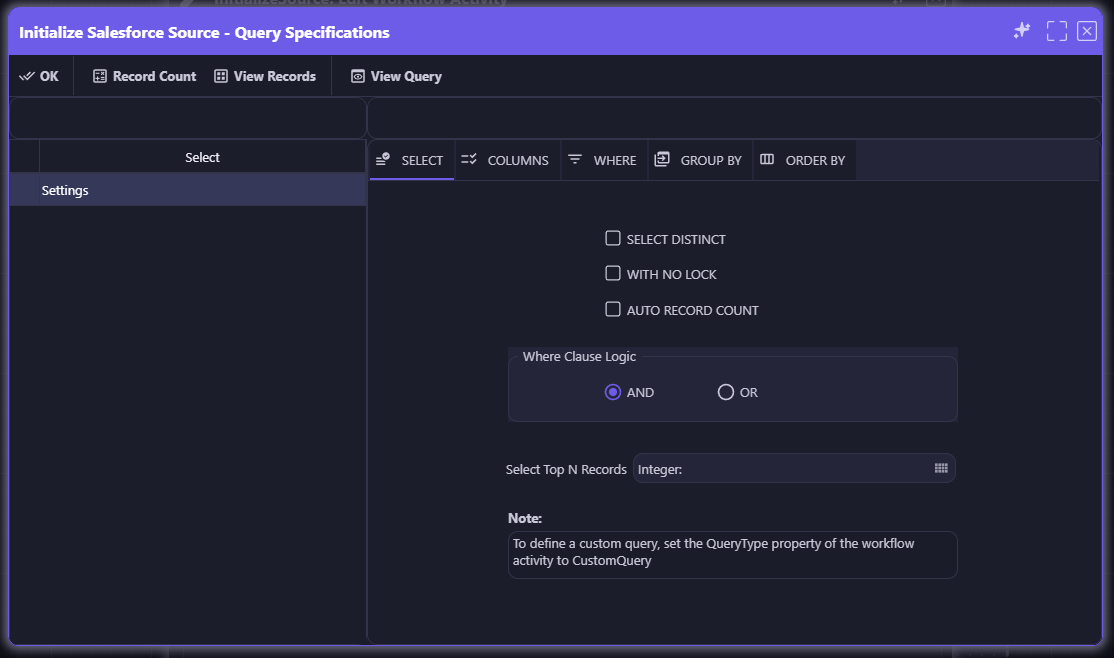
Point-and-click query specifications
Select Distinct, With No Lock, Auto Record Count, Top N and Where logic — every query option is a guided setting, not a line of SQL.

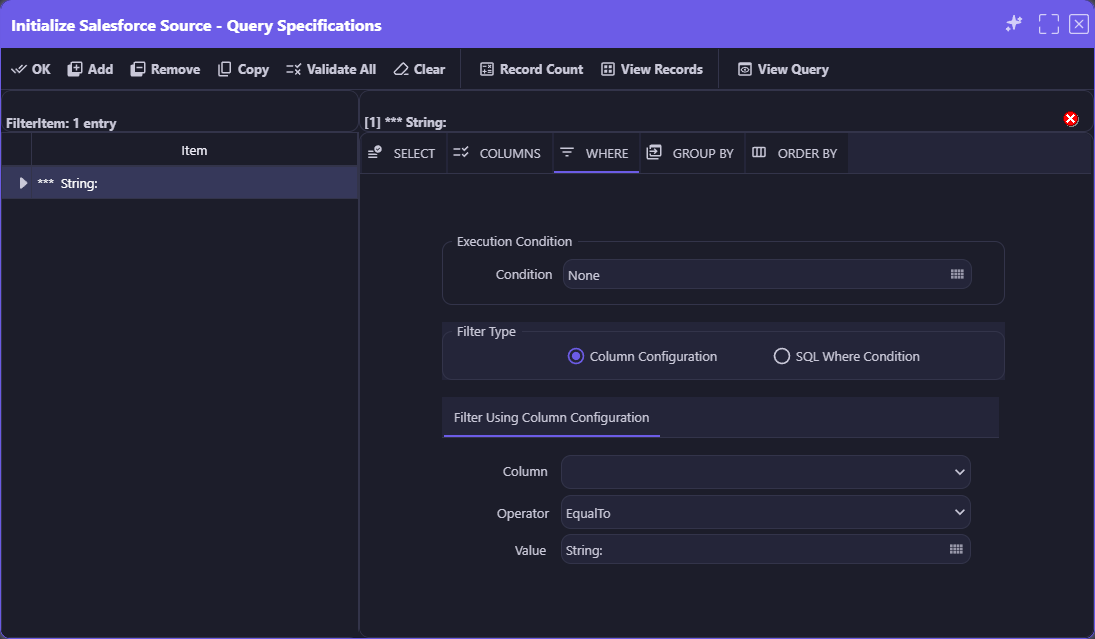
Guided filtering
Pick a column, an operator and a value — or drop into a SQL Where condition when you need it. Either way, no code to write.
Code-level precision, exactly where you need it
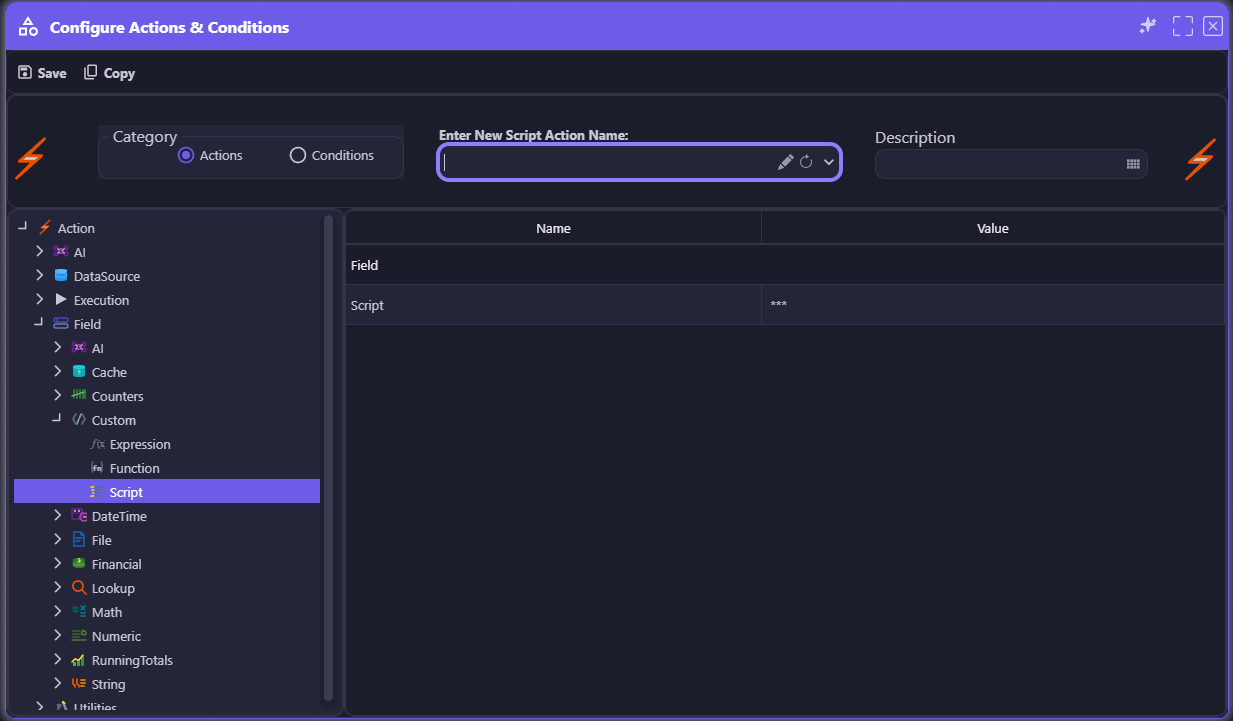
Beyond the no-code building blocks, a rich library of configurable Actions and Conditions can be extended with light logic — the flexibility of code, scoped to the places your workflow needs it.
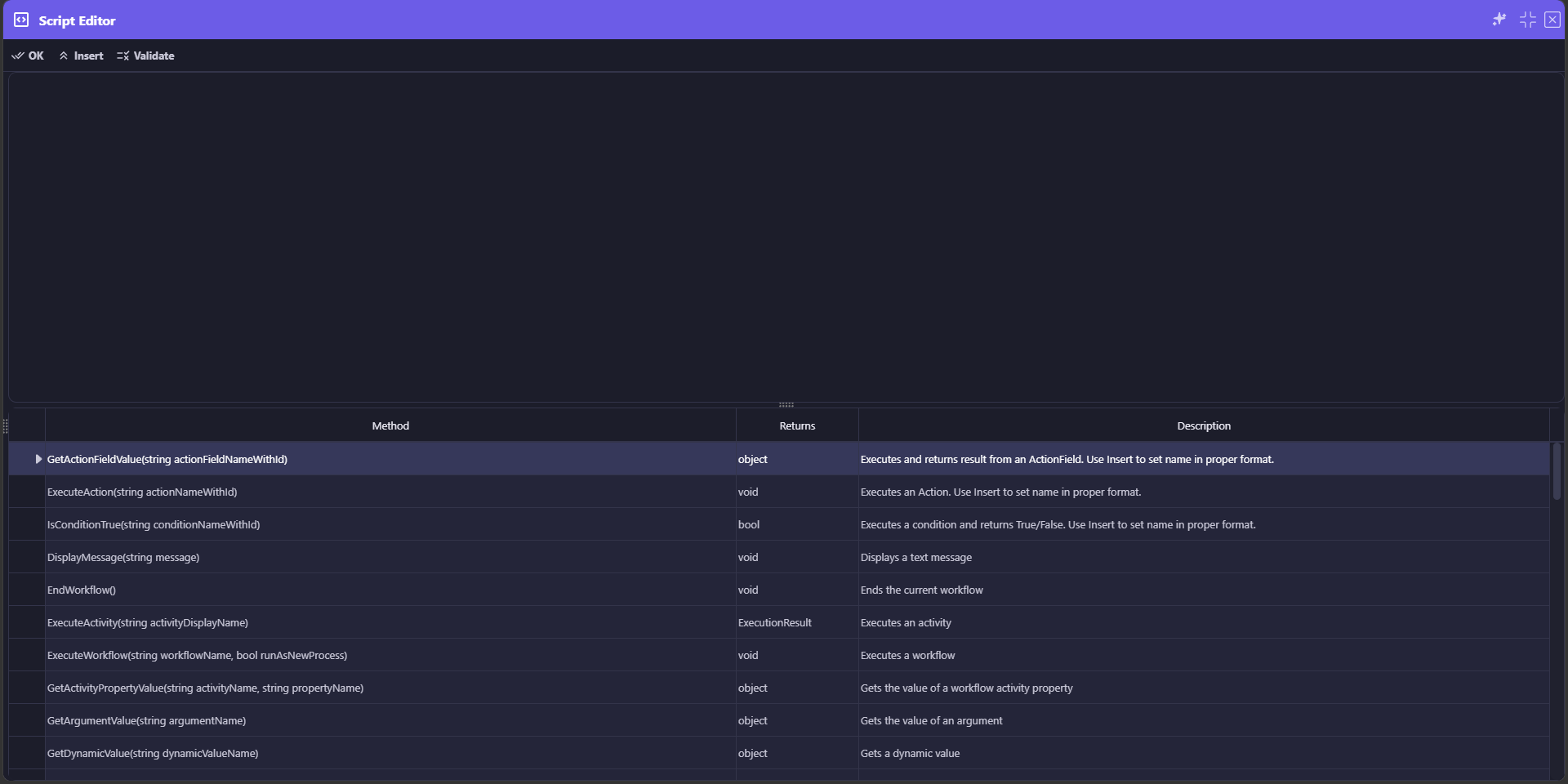
Script Editor with method reference
Write multi-line logic with a live reference of callable methods — ExecuteAction, IsConditionTrue, GetArgumentValue and more.
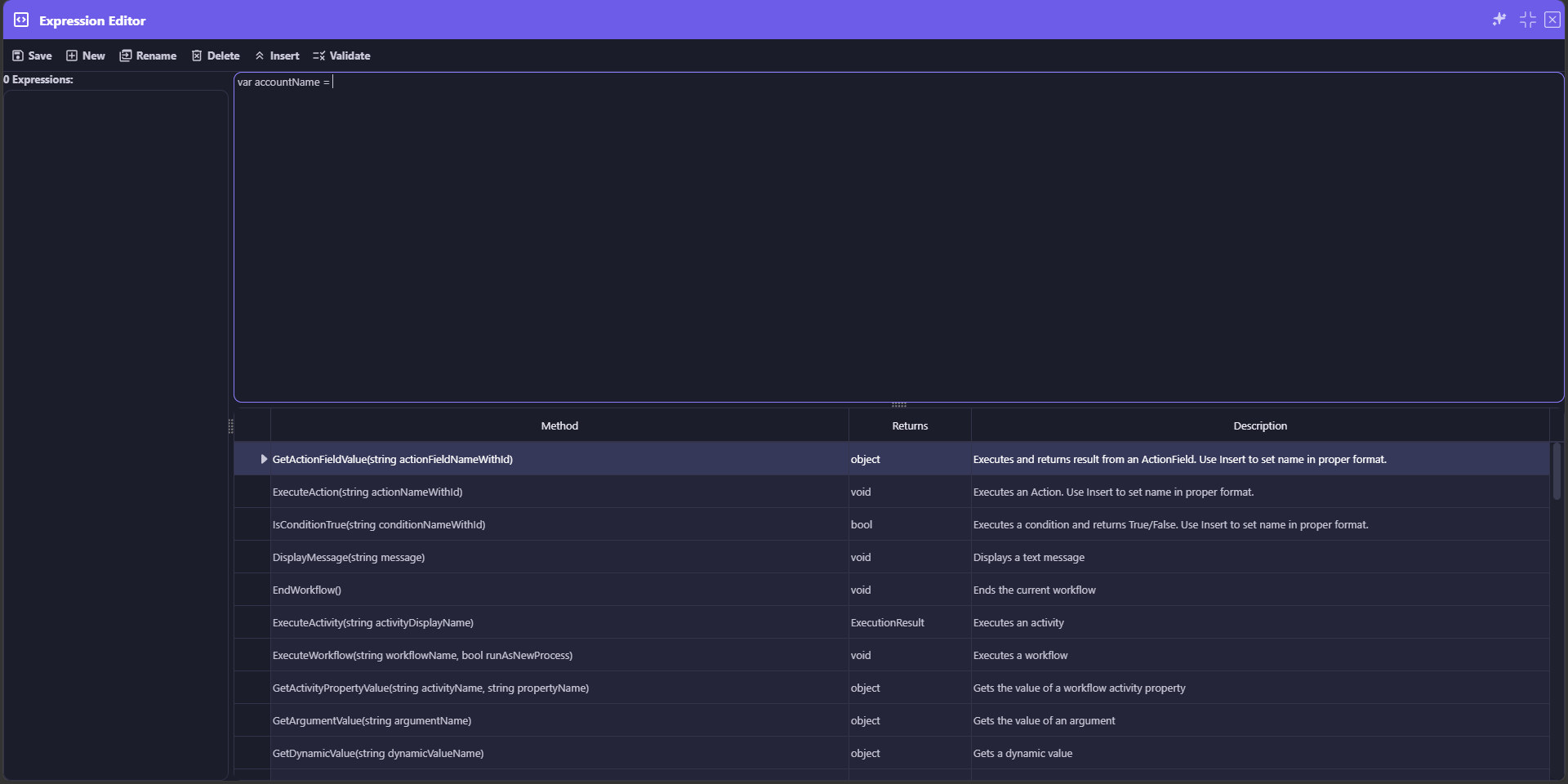
Expression Editor
For single-line calculations and lookups, the same method reference in a lighter-weight, inline format.
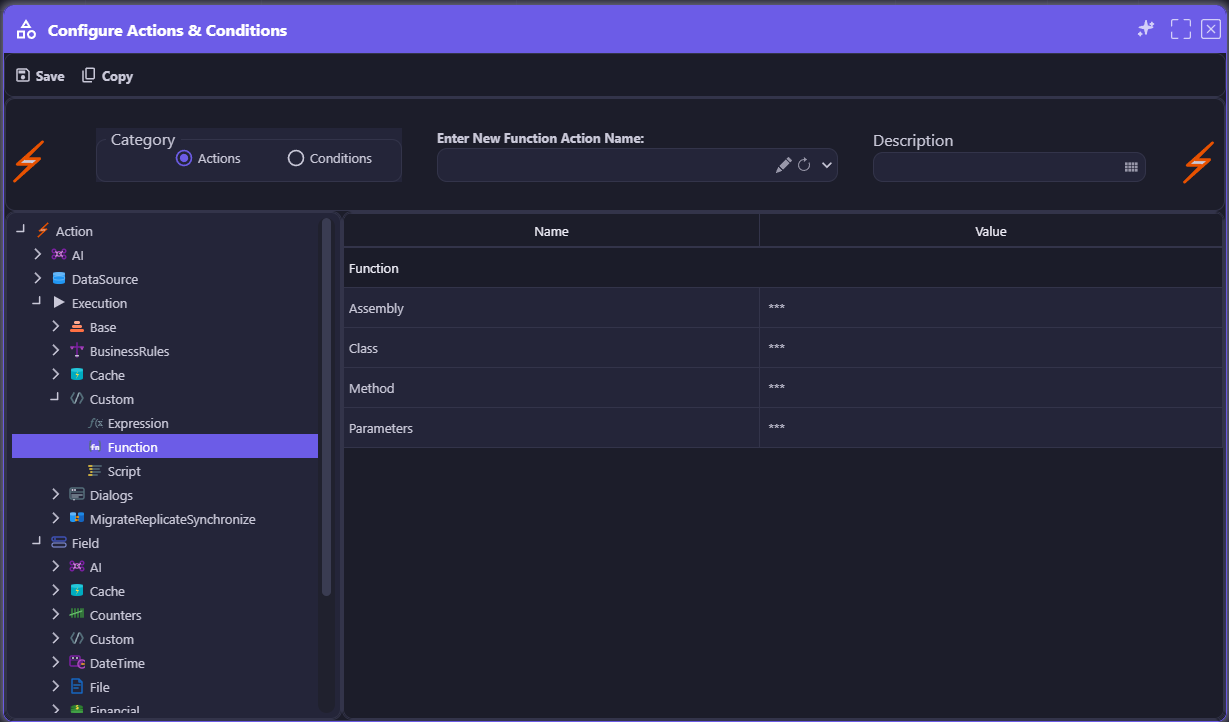
Call your own .NET functions
Configure a Function action by Assembly, Class, Method and Parameters to bridge low-code workflows with your team's libraries.
Full control with appRules Developer
For teams that need it, appRules Developer is the add-on product that gives you complete source code access to your appRules environment.
- Real Visual Studio solution
- Solution Explorer & IntelliSense
- Git integration
- Full appRules Modules source tree
- Create your own connectors
- Custom Extension Workflow Activities
- New Actions and Conditions
- Extend the platform itself
Not an either/or choice: No Code, Low Code and Source Code are capabilities of the same platform, freely mixed within a single workflow. Learn more about appRules Developer →
True no-code automation as your starting point
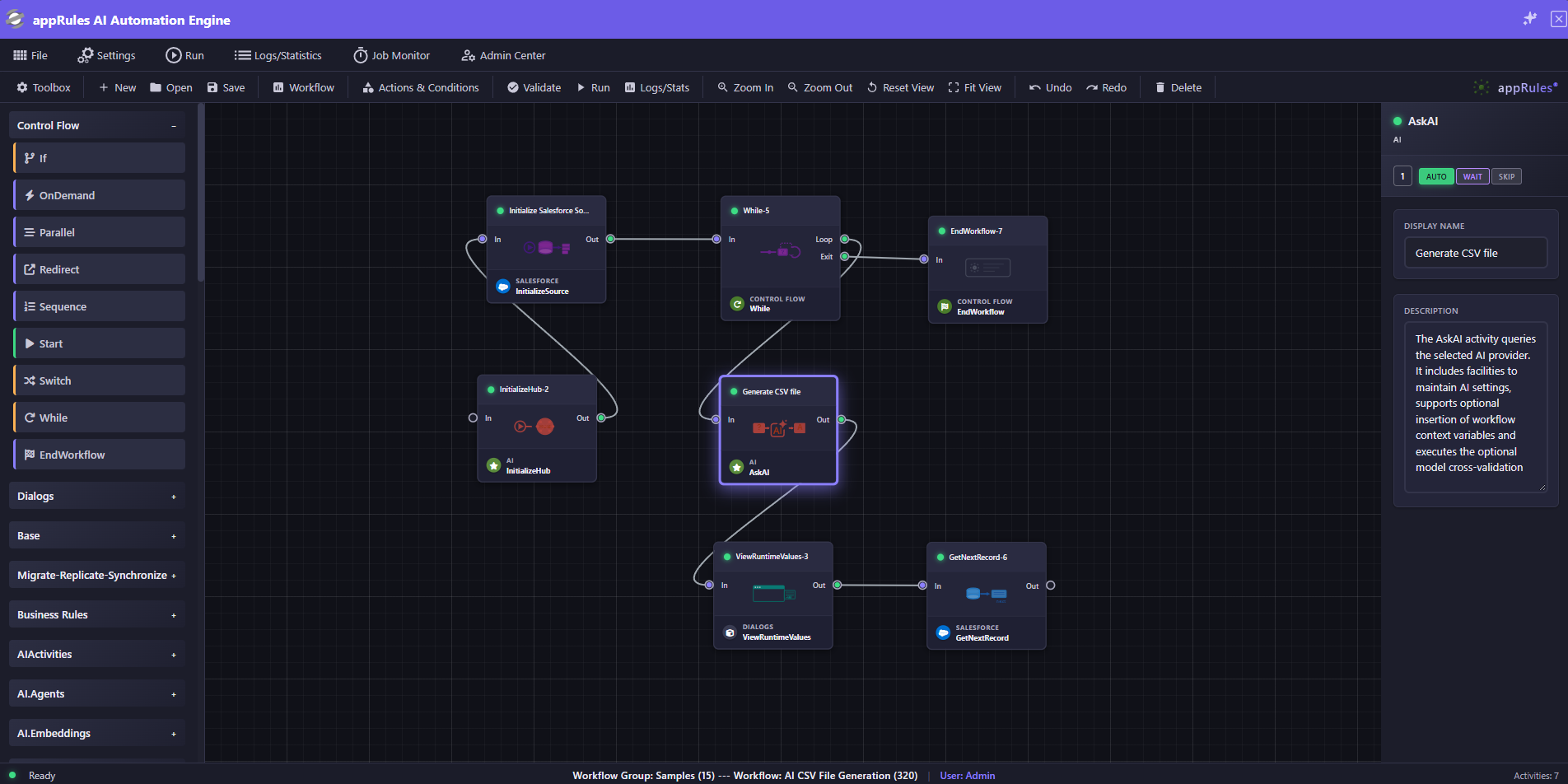
Enterprise-grade complexity meets remarkable simplicity — with low code and source code always available when you need more.
Drag, drop, configure
Select workflow activities from the comprehensive toolbox, configure properties and connect. No programming required.

Real-time orchestration
See your entire pipeline at a glance. Control flow logic, parallel processing and conditional branching with visual controls.
Instant validation
Built-in validation catches errors before deployment. Test, debug and refine with comprehensive logging and monitoring.
A rich library of ready-made workflow activities
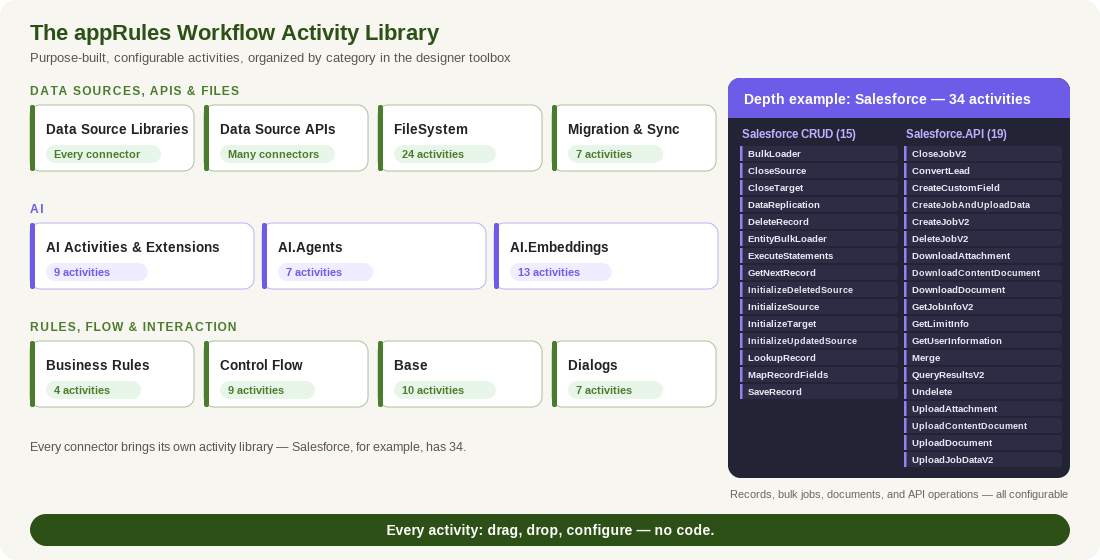
The toolbox isn't a handful of generic nodes. It's a library of purpose-built activities, organized by category — each a complete operation you drag onto the canvas and configure through guided dialogs.
Data source libraries
Every connector brings its own activities. Salesforce CRUD, for example, has 15 — plus a separate Salesforce.API library with 19 more.
Base & dialogs
Everyday building blocks — CallWebService, SendEmail, SetValues, Delay, ExecuteWorkflow, audit and log entries — plus interactive dialogs to edit records and view results.
FileSystem
24 activities for directories, files and access control lists — create, copy, move, delete, zip and unzip, FTP upload and download, and directory iteration.
Migrate · Replicate · Synchronize
Seven complete data-movement activities, including BasicDataMigration, DataReplication, BidirectionalSynch and OneToManyMigration.

Business Rules
EvaluateConditions, EvaluateDecisionTable, ExecuteRuleSet and PerformActions — the rules engine as drag-and-drop activities.
Design & Build for AI
appRules AI includes configurable controls to compose powerful enterprise agentic automation workflows.
- SmartPrompt Builder & Context Picker
- Integrated Prompt Engineering
- AskAI Action Chain
- Conditioned & Parallel AskAI
- AI-powered decision tables
- AI activities & extensions
Let’s deliver something great together
Start a free trial, see a live demo, or talk to us about OEM, white label and partner opportunities.
Prefer email? sales@appstrategy.com